

In a significant move to streamline the game development lifecycle, itch.io has officially integrated its powerful "Butler" command-line interface directly into the itch.io desktop application. This update, effective as of version 26.12.0, marks a major milestone in the platform’s accessibility efforts, transitioning one of its most potent technical tools from a developer-exclusive command-line environment into a user-friendly Graphical User Interface (GUI). By doing so, the platform aims to reduce the friction associated with iterative game updates, making professional-grade deployment tools available to a wider spectrum of independent creators.
The Evolution of Deployment: From Terminal to Interface
For years, "Butler" has been the industry secret of itch.io developers. Unlike standard web-browser uploads, which require developers to manually package and upload entire game builds, Butler functions as an intelligent synchronization engine. It operates by analyzing the contents of a local folder or compressed archive and comparing it against the version previously hosted on the platform.
The core technology behind Butler is its delta-patching capability. Instead of pushing a multi-gigabyte game file every time a minor bug is fixed or a texture is tweaked, Butler generates "patches." It identifies only the binary segments that have changed since the last deployment, pushing solely those fragments to the server. For the end-user, this translates into a vastly superior experience: players download tiny, incremental updates rather than re-downloading the entire game package. This not only conserves bandwidth for the consumer but also drastically reduces the time developers spend managing their project’s presence on the store.
Historically, however, this efficiency came with a barrier to entry. Butler was exclusively a command-line tool. Developers were required to navigate terminal environments, manage path variables, and learn specific syntax to push their builds. For many indie developers, particularly those coming from engine-first workflows (like Unity or Godot) without heavy terminal experience, this acted as a significant hurdle. The new "Upload" section in the itch.io app eliminates this technical debt entirely, wrapping the power of the command line in an intuitive, visual interface.
Chronology of the Update
The integration of Butler into the desktop app did not happen overnight; it follows years of community feedback and incremental improvements to the platform’s ecosystem.
- Pre-2024: Butler existed solely as a command-line utility, highly praised for its speed and reliability but often criticized for its steep learning curve.
- Early 2024: The itch.io development team began prototyping a "Builds" management dashboard within the desktop client to help creators track versioning across multiple projects.
- Mid-2024: Development efforts shifted toward wrapping the existing Butler binary within the Electron-based architecture of the desktop app.
- Late 2024 (The Current Release): Version 26.12.0 of the itch.io app launched, introducing the "Upload" tab in the sidebar. This update unified the account management system, allowing the app to use active session credentials for pushing builds, further automating the authentication process.
Behind the GUI: How the New System Works
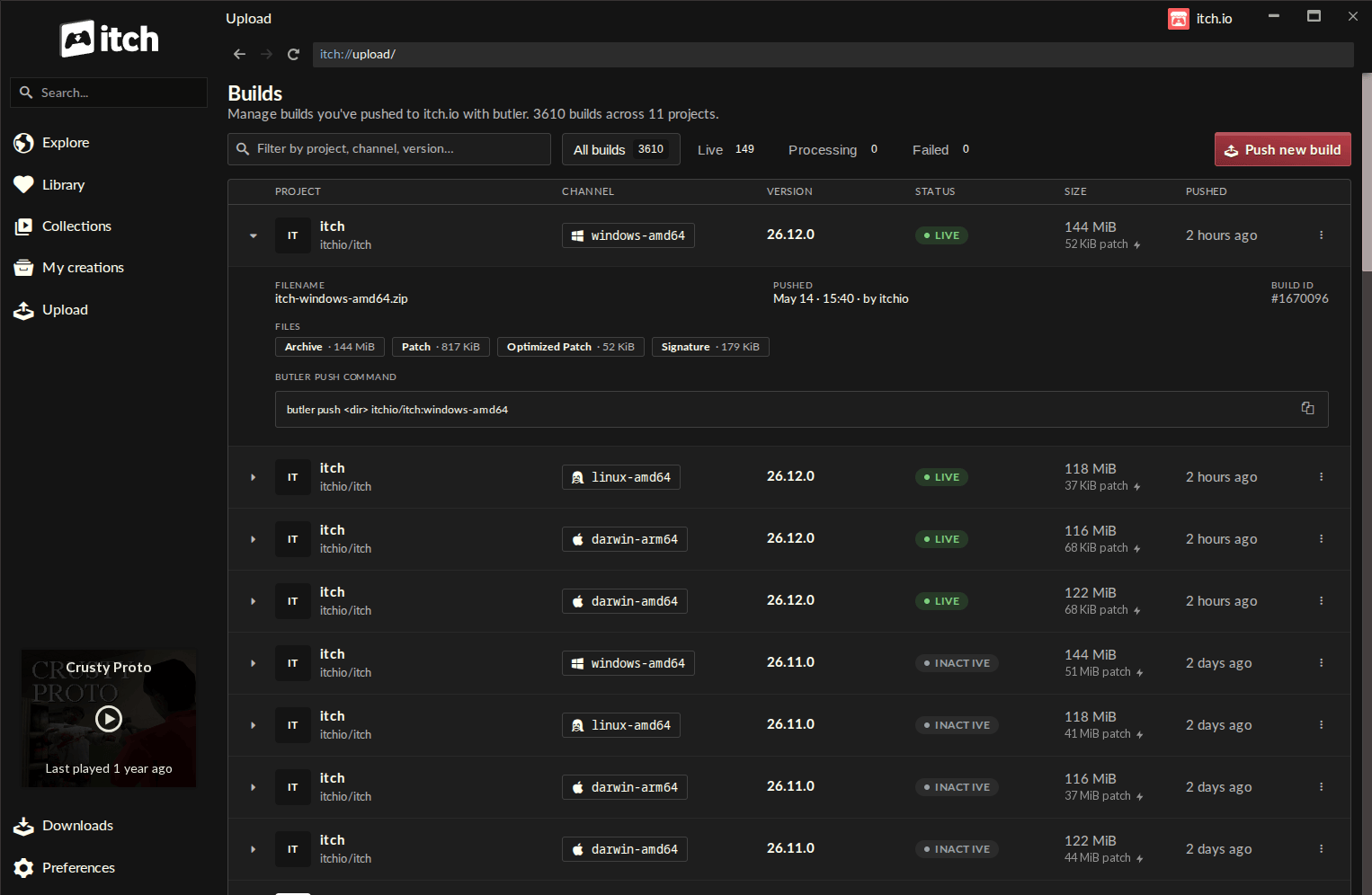
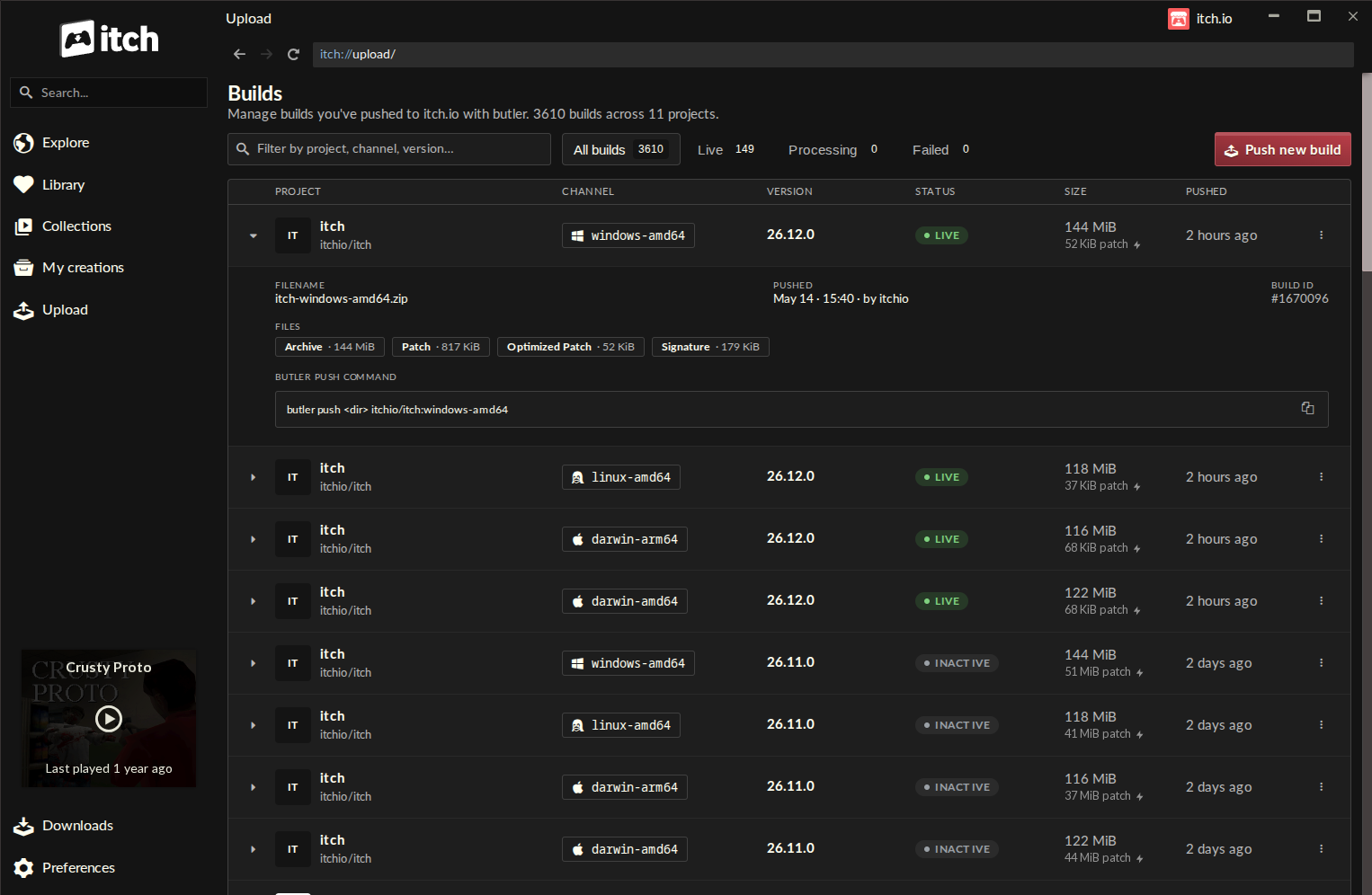
The new "Upload" tab is designed to be the command center for a developer’s active projects. Upon accessing the section, users are presented with a "Builds" page—a comprehensive table that lists every build associated with their account. Each row provides real-time metadata: project titles, assigned channels (e.g., windows-alpha, macos-release), current version tags, the status of the last push, total file size, and the exact timestamp of the most recent deployment.
The "Push New Build" Workflow
The process has been distilled into a simple, multi-step flow:
- Project Selection: A dropdown menu allows developers to select any project linked to their account.
- Channel Assignment: Users can either select an existing channel or define a new one on the fly.
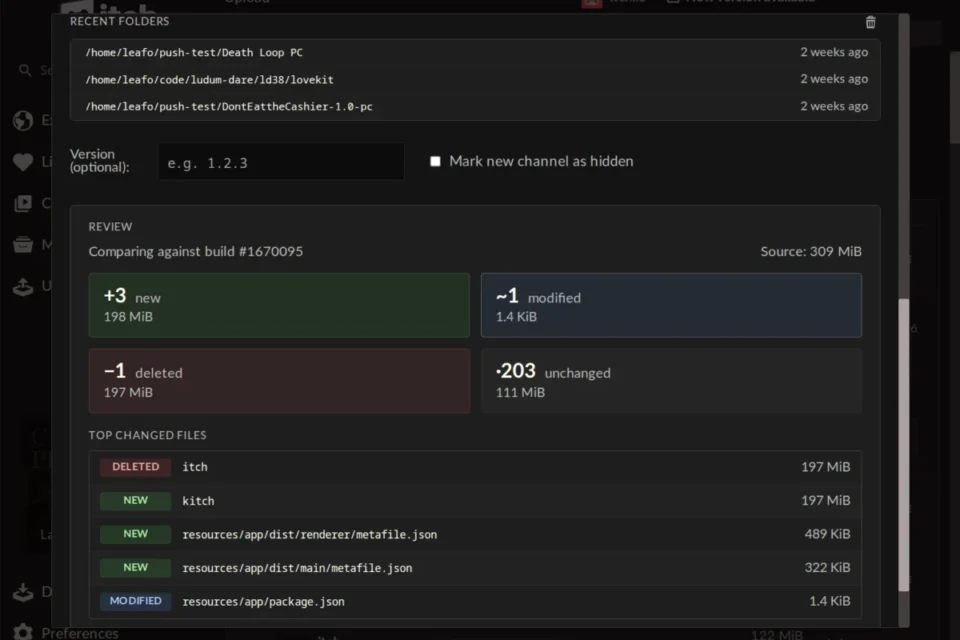
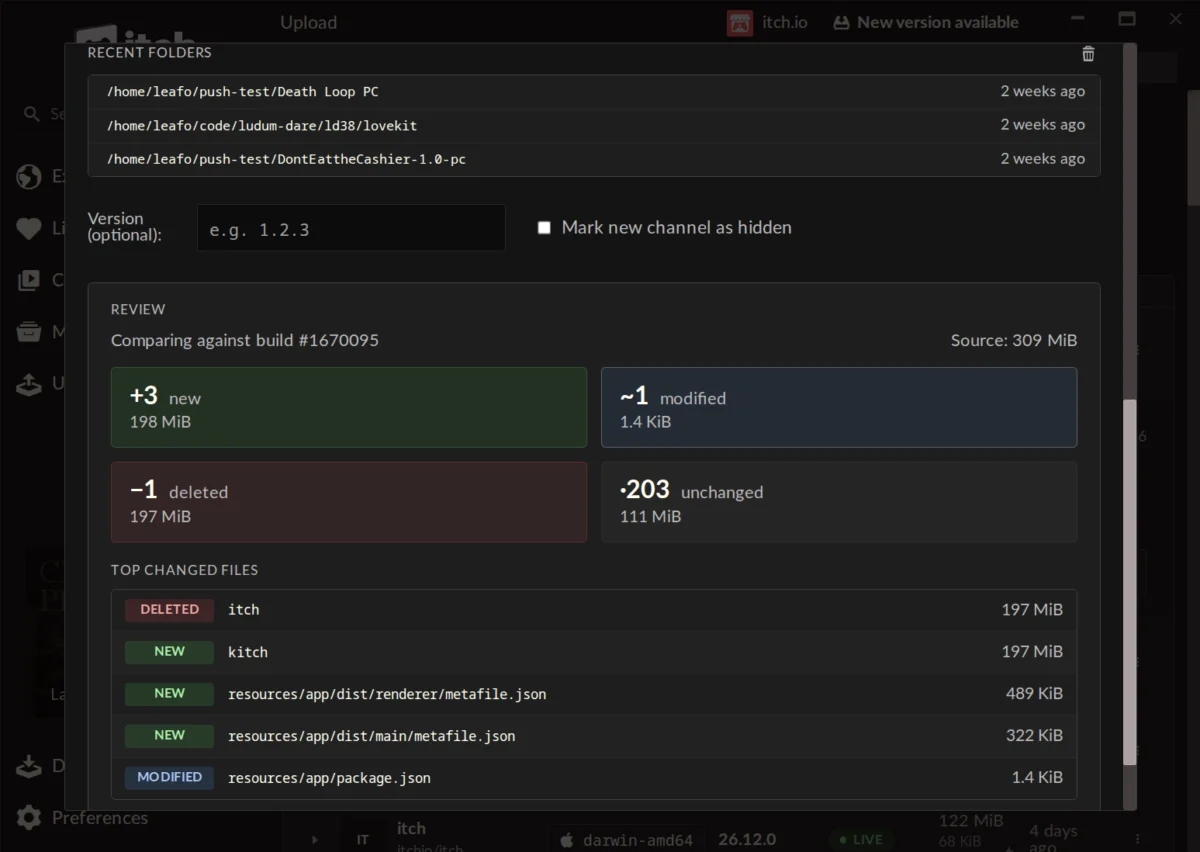
- Source Identification: The app features a "recent folders" cache, allowing developers to quickly select source directories from previous sessions.
- The Preview Phase: This is arguably the most critical feature of the new GUI. Before the upload commences, the app calculates a diff report. It displays precisely how many files are new, modified, or deleted. It also highlights the "largest changed files," allowing developers to audit their build before it hits the servers.
This preview step acts as a safety net. By visualizing the delta before the push, developers can avoid accidental uploads of large, unnecessary files (such as hidden project temp files or local configuration settings), ensuring that the final patch is as optimized as possible.
Technical Implications and Performance Benefits
The implications for the developer ecosystem are substantial. By removing the "fragility" often associated with manual terminal commands, the itch.io team has effectively standardized the deployment process.
Automated Updates
One of the most significant advantages of this integration is the automatic maintenance of the Butler binary. Previously, if the server-side protocol updated, developers had to manually download the latest Butler version to avoid compatibility errors. The new app handles these updates silently in the background, ensuring that every user is always using the most efficient and secure version of the tool.
Multi-Account Management
For developers working in teams or managing multiple portfolios, the app’s profile-switching capability is a major quality-of-life improvement. Because the app utilizes the session credentials of the currently logged-in user, switching between a personal account and a studio account is instantaneous. Pushing a build to a different project no longer requires complex re-authentication in a command window; the app handles the handshake internally.
Official Responses and Community Reception
The reception from the itch.io community has been largely positive, with many developers noting the "visual clarity" of the new system. In the official release thread, user Warpzone remarked, "I remember [Butler] being complicated and fiddly. Maybe even a bit fragile. The itch app has none of these problems."
However, the rollout has also surfaced questions regarding legacy support. A common inquiry among long-time users is the ability to "convert" older, traditionally uploaded projects to the Butler system. In an official response, the developer leafo clarified the technical limitations: "Unfortunately it’s not possible right now, as a butler push needs additional metadata alongside the file that’s computed when you’re uploading." While this means developers cannot simply "switch" an old build to the new system, it highlights the importance of the metadata-heavy nature of the delta-patching process, which essentially rebuilds the project’s structure upon the first Butler push.
Addressing Critical Feedback
Not all feedback has been purely praise. Some users have pointed to larger, structural issues within the platform that remain unaddressed, such as the need for better tag filtering and more transparent communication regarding manual moderation queues. The itch.io team’s willingness to engage in the comments section—addressing concerns about why certain legacy projects cannot be converted—demonstrates a commitment to transparency, even when the answer is that a feature is not yet technically feasible.
Conclusion: A New Standard for Indie Devs
The integration of Butler into the itch.io app is more than just a UI update; it is a democratizing force for independent game development. By lowering the technical barrier required to utilize professional-grade deployment tools, itch.io is ensuring that smaller teams can focus on game design rather than deployment logistics.
As the industry moves toward faster iteration cycles and more frequent updates, the ability to push small, optimized patches will become an increasingly vital skill. With this update, itch.io has successfully bridged the gap between the power of the terminal and the convenience of the desktop, reinforcing its position as the premier platform for independent creators. Developers are encouraged to update their app to at least v26.12.0 to take advantage of these new capabilities and to consult the updated documentation for advanced command-line features that may still be utilized outside the GUI.